Onboarding
Start every partner workspace with reviewed company setup.
SynapticLYnk uses a controlled onboarding path: partner request, approval review, activation email, and first-login legal acceptance.
A reviewed setup path helps the first contractor or wholesaler user enter with the right company profile, activation path, and current legal documents in place.
Capabilities
Built around real field-service decisions.
Each product area explains what a contractor team can do, what stays reviewed, and how work moves through the system.
Company-profile submission
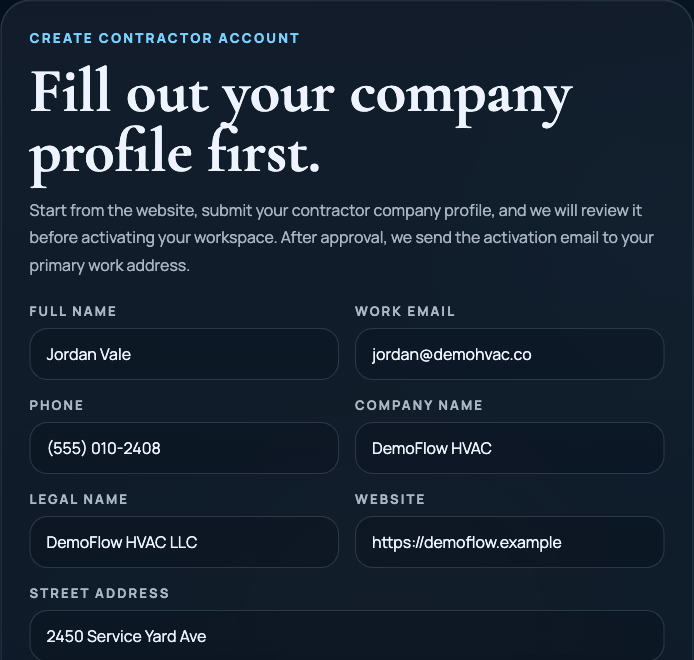
The public site captures the company profile, applicant type, and operating details that matter before access is created.
Approval-based activation
The operations review layer can approve or reject a contractor workspace or wholesaler seller request before access is activated.
Seller readiness review
Wholesaler submissions include catalog categories, service regions, ordering capabilities, and API or import setup details for Platform Admin review.
Activation email and first login
Approved users receive the activation path and enter through the configured workspace sign-in flow. Some workspaces use Google sign-in, and others may use password setup or reset where enabled.
Versioned legal acceptance
First-time users must accept the active Terms of Service and Privacy Policy before they can continue into the workspace.
Controlled Path
Demo interest and workspace activation are not the same step.
The onboarding story is strongest when it explains each checkpoint plainly: request, review, activation, configured sign-in, and legal acceptance.
Demo request
The public form starts a conversation about workflow fit, pricing shape, and setup needs. It does not immediately create production access.
Company-profile review
The team reviews identity, operating territory, trade focus, and intended workspace usage before activation.
Configured sign-in path
Approved users enter through the configured workspace sign-in flow, including Google sign-in or password setup where enabled.
Legal acceptance before entry
Users accept the current Terms of Service and Privacy Policy before entering the workspace for the first time.
Book a Demo
Start with a reviewed setup conversation.
Submit the profile details needed for review. If the request is approved after the fit and pricing conversation, the activation path is sent to the primary work email.
01
Submit your company profile
Tell us who you are, where you operate, and how your team will use the platform.
02
Review and decision
The review team evaluates the profile before the workspace becomes active.
03
Activation and legal acceptance
Approved users activate through the configured sign-in flow, accept current legal documents, and enter the workspace.
FAQ
Onboarding FAQ
These answers describe the current access path from website request to first workspace login.
How does onboarding work?
A contractor or wholesaler submits the company profile, the request is reviewed, approved accounts receive an activation email, then users activate through the configured workspace sign-in flow and accept the current legal documents.
Why not allow instant self-serve signup?
Because contractor workspaces and wholesaler seller accounts carry operational, billing, supply, and legal context. Review first gives the team a cleaner setup before activation.
Do users accept terms and privacy at first login?
Yes. The current product uses a versioned legal-acceptance flow so users must accept the active Terms of Service and Privacy Policy before entering the workspace.