Technician Workspace
Give technicians a cleaner field workspace instead of another overloaded dashboard.
The field side of SynapticLYnk is built for execution: clear task context, map awareness, time tracking, material handling, and live updates on a surface that works in motion.
This is where the product becomes useful in the field. The technician workspace is mobile-friendly, role-specific, and directly connected to contractor workflows without exposing unnecessary controls.
Capabilities
Built around real field-service decisions.
Each product area explains what a contractor team can do, what stays reviewed, and how work moves through the system.
Focused task execution
Technicians work from a task-first surface that avoids contractor-office clutter.
Map and location awareness
The product supports map context and live-location flows that connect technician execution back to contractor oversight.
Time and material capture
Time tracking, material handling, and work updates remain close to the job workflow instead of being split across separate tools.
Mobile-first behavior
The field experience is designed to work under smaller-screen conditions where fast actions matter more than dashboard density.
Live Workspace Views
Use real product views to explain the field-side experience.
The technician surface should look focused, operational, and fast. These screenshots show the live map view and the contractor-side backlog context that feeds field work.
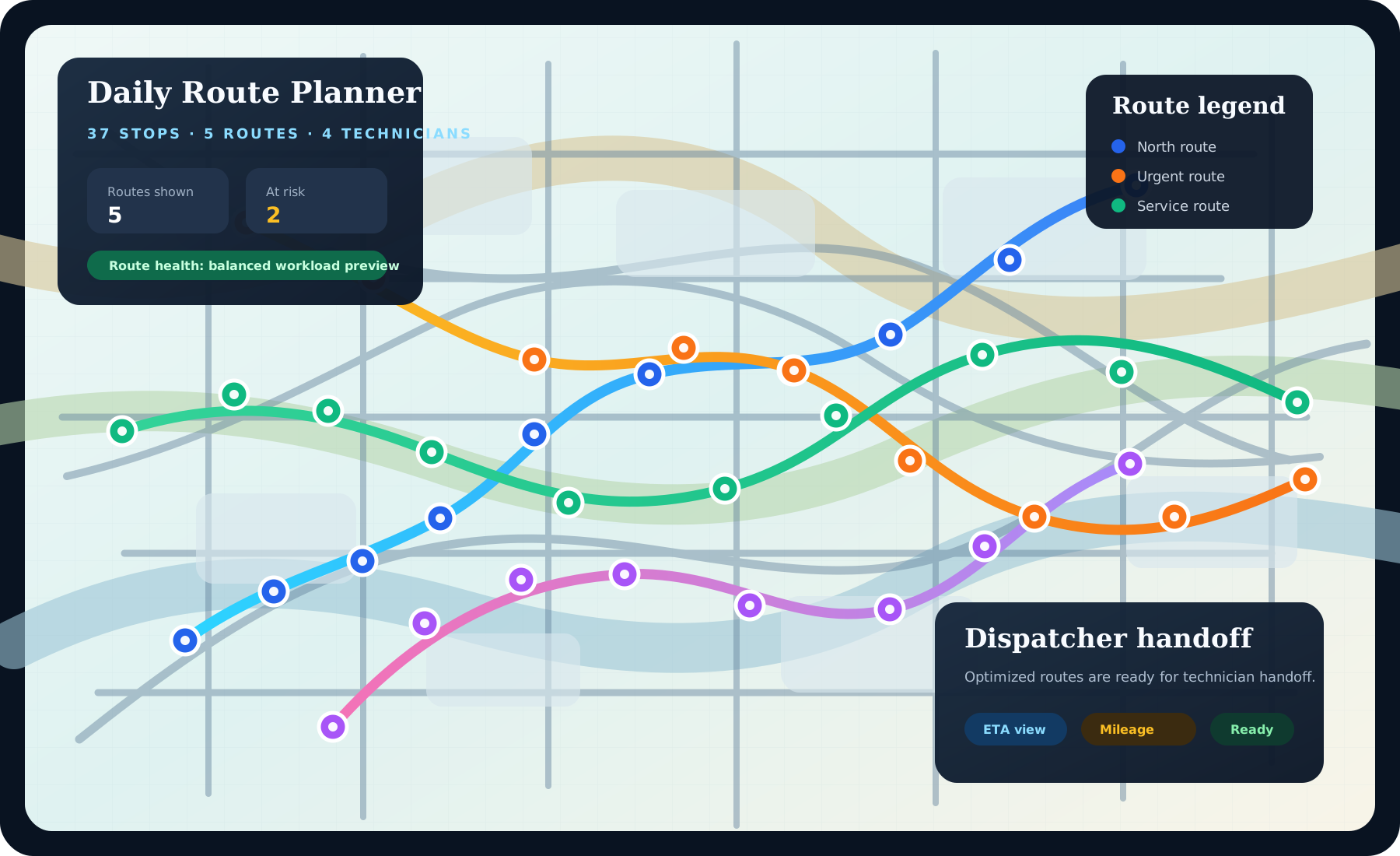
Field map and activity
Live map context stays close to workforce status so the field layer can remain operational without turning into an admin dashboard.
Routing and mileage context
Make route awareness visible so buyers can see technician movement, distance, and live task positioning on the same operating surface.
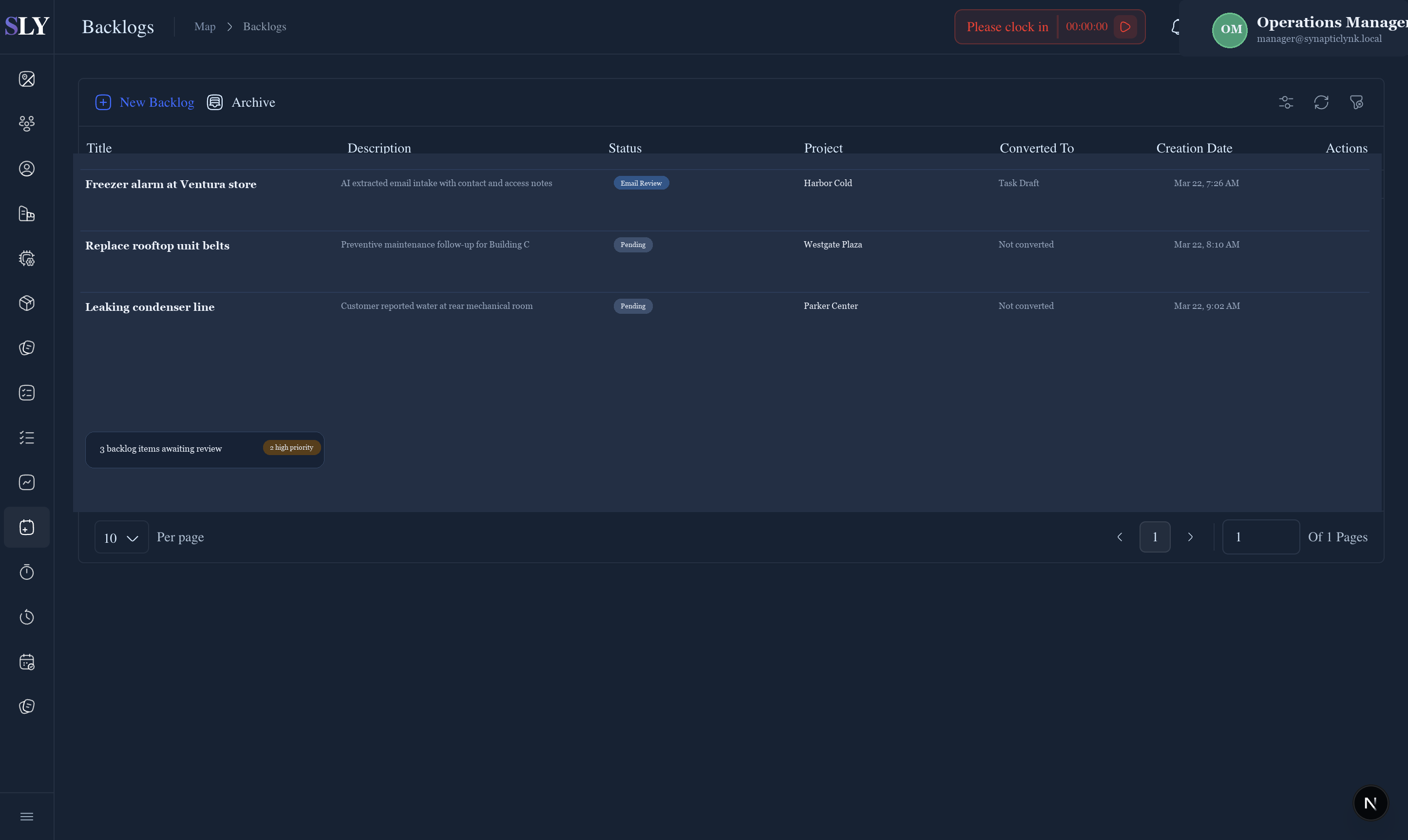
Backlog feeding execution
Technician work starts upstream. Showing the review layer makes the field flow easier to understand for buyers evaluating end-to-end operations.
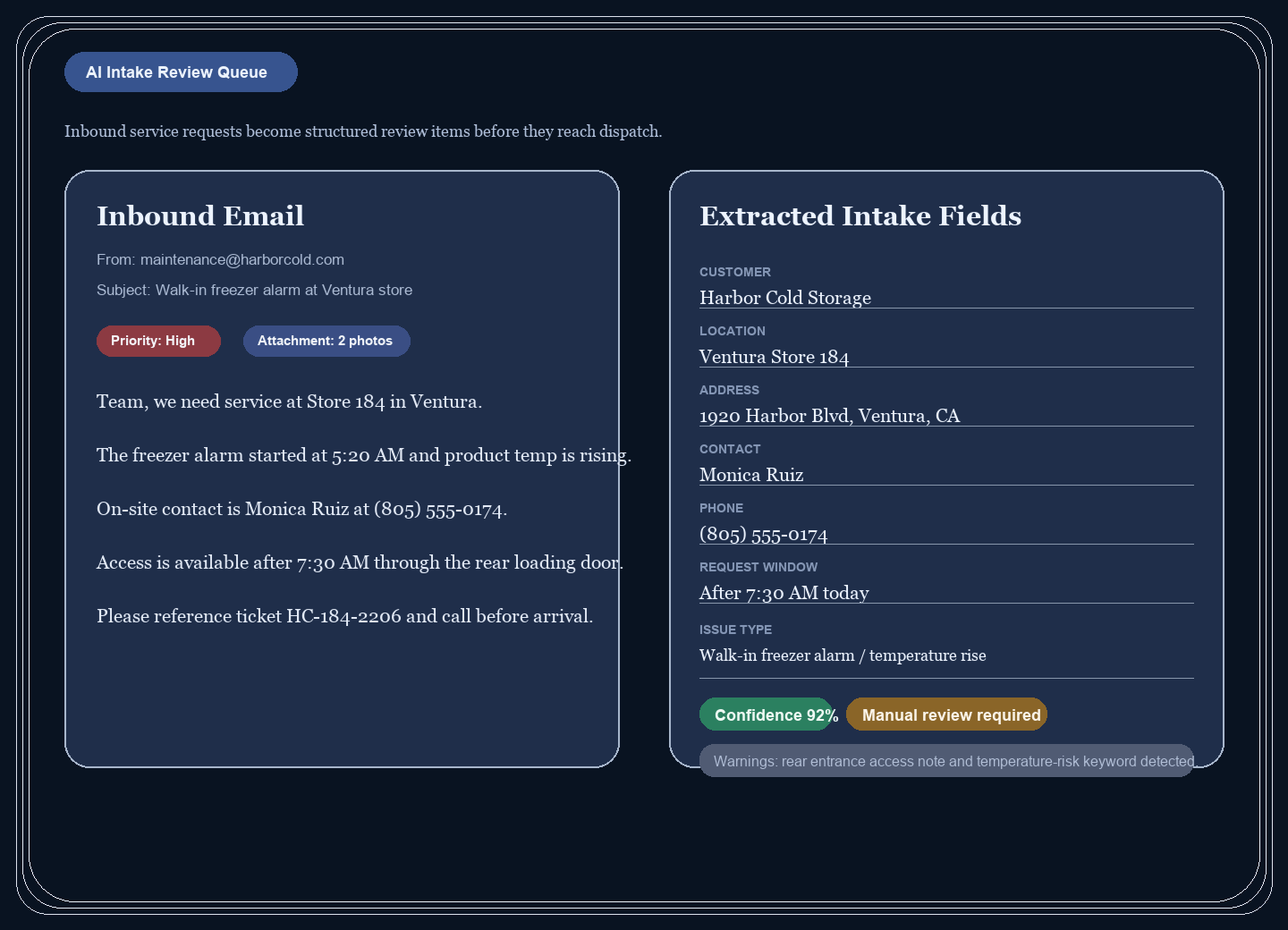
Task context before dispatch
Show the reviewed intake layer too, so buyers understand technicians are not starting from a messy thread or incomplete task record.
FAQ
Technician workspace FAQ
These questions explain how the field-side experience stays useful without turning into a tiny version of the admin dashboard.
What does the technician see?
Technicians see a focused field workspace with task details, time tracking, materials, maps, and job updates instead of management-layer clutter.
Does the technician workspace support live location and time?
Yes. The current product includes map context, time tracking, and live-location publishing when the technician is clocked in and browser/device permissions allow it.
Why separate technician UI from contractor UI?
Field users need fast execution with less noise. The technician surface reduces cognitive load while still staying connected to contractor operations and reporting.